The Question Is Ordinary. The New Part Is Who Sees the Answer.
Picture a Sunday evening at the kitchen table. You are looking at a bank statement and wondering why the month feels more expensive. Was it groceries? Three subscriptions you forgot about? A couple of unusual bills? You do not want a lecture about budgeting. You want a clear answer and maybe one useful next step.
That is the kind of everyday question a money assistant can make easier. It is also the moment when a convenient feature can quietly become a data-sharing decision.
In the United States, Google and Plaid announced a Gemini personal-finance experience through Google Wallet on November 13, 2026. Plaid says the rollout lets people choose to connect financial accounts for personalized insights and that this Gemini connection is read-only. A few days later, Plaid announced a tool for financial companies to detect when an interaction may be coming from an AI agent. Those are signs the technology is moving from chat into financial products—not proof that every assistant can move money, or that connecting an account is right for everyone.
This guide is about making that choice with your eyes open. The people and transactions below are fictional, and the sample output is not from a real bank, AI product, or test of an account-linking service.
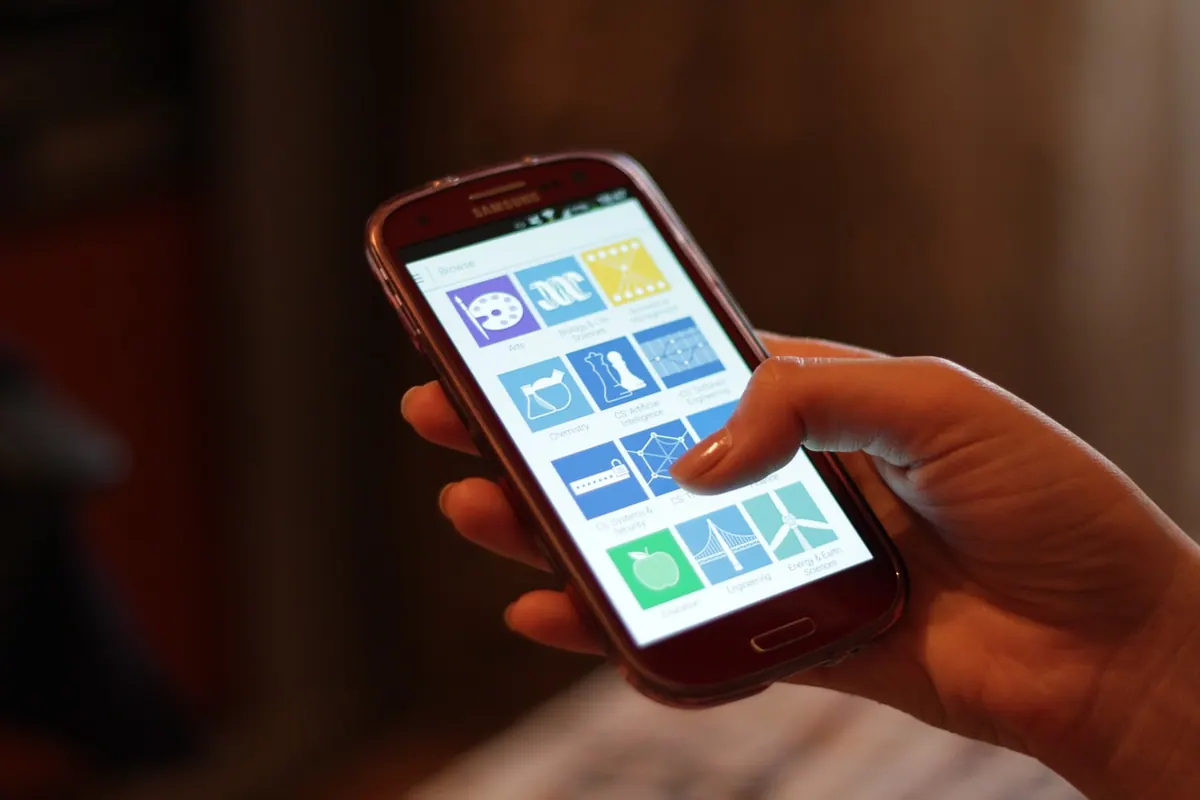
Photo: Océanos y dados, “Smartphone Use,” via Wikimedia Commons, CC0 1.0.
First, Separate “Help Me Understand” From “Do This for Me”
People use “AI money assistant” to mean several different things. They are not all the same kind of access:
| What you ask it to do | Example | What to keep in mind |
|---|---|---|
| Explain a general concept | “What is an overdraft fee?” | No bank connection should be needed |
| Work with data you provide | “Group these fictional expenses by category” | Anything you upload is disclosed to that service |
| Read connected financial data | “Which bills changed since last month?” | The assistant or its provider may receive account information |
| Take an action | “Pay this bill” or “move money” | This needs separate, explicit authorization and stronger safeguards |
A feature that can answer a question about spending is not automatically authorized to send a payment. Likewise, the word read-only describes an important limit on what the connection can do, but it does not mean the service cannot see sensitive information.
Plaid's November announcements are useful context, with one caveat: Plaid is a company in the financial-data ecosystem, so its product descriptions are not an independent security audit. Its Gemini announcement describes a read-only experience; its agent-detection announcement discusses how banks and other businesses may identify agent-driven interactions. Plaid's example of an agent paying a bill is a scenario for financial institutions to consider, not a promise that your bank or a particular AI assistant currently supports it.
What Might Be Shared When You Connect an Account
An account connection can involve more than the chat window. Depending on the service and the permissions you approve, financial information may pass from your bank through a connection provider to the app that presents the AI feature. The exact data, providers, and retention rules differ.
Potentially sensitive details include:
- Account balances and account types.
- Transaction names, dates, amounts, and sometimes descriptions.
- Patterns that suggest where you shop, travel, live, or receive income.
- Inferences about bills, subscriptions, health services, or financial stress.
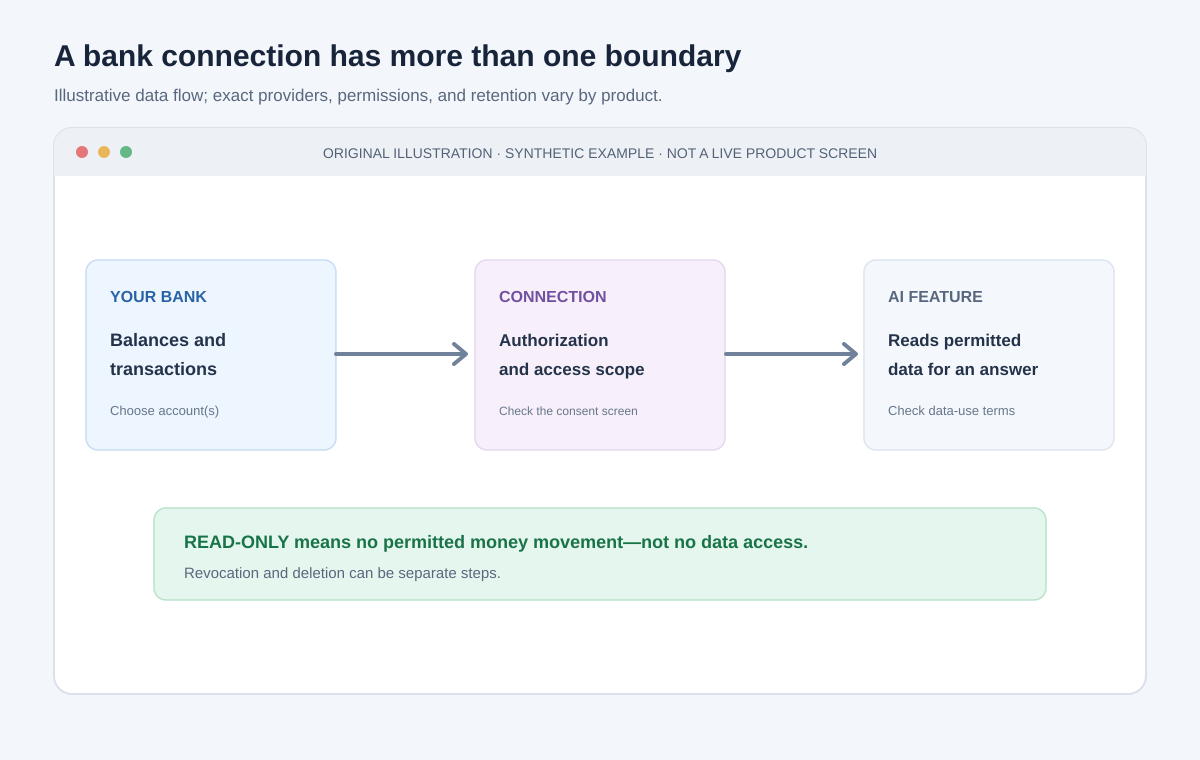
Simplified example only. The actual providers and data flow depend on the product and the permission screen you approve.
Even when an assistant cannot transfer money, a detailed spending history can say a lot about your life. And read-only does not mean zero-risk: access might still be retained, processed, or used to produce an answer according to the current product terms.
Before pressing Connect, look for the actual consent screen. Identify the service asking, the account or accounts selected, the data requested, whether access is read-only, and how to disconnect later. If the screen is vague, skip the connection and use a generic question or a small synthetic example instead.

Photo: People working together around a laptop; image from Unsplash, used under the Unsplash License.
A Small Example: Spot a Possible Subscription Change
Suppose a fictional transaction list contains these recurring-looking charges:
| Merchant | September | October | November |
|---|---|---|---|
| StreamCo | $12.99 | $12.99 | $14.99 |
| CloudBox | $2.99 | $2.99 | $2.99 |
| Northside Market | $46.18 | $31.04 | $53.27 |
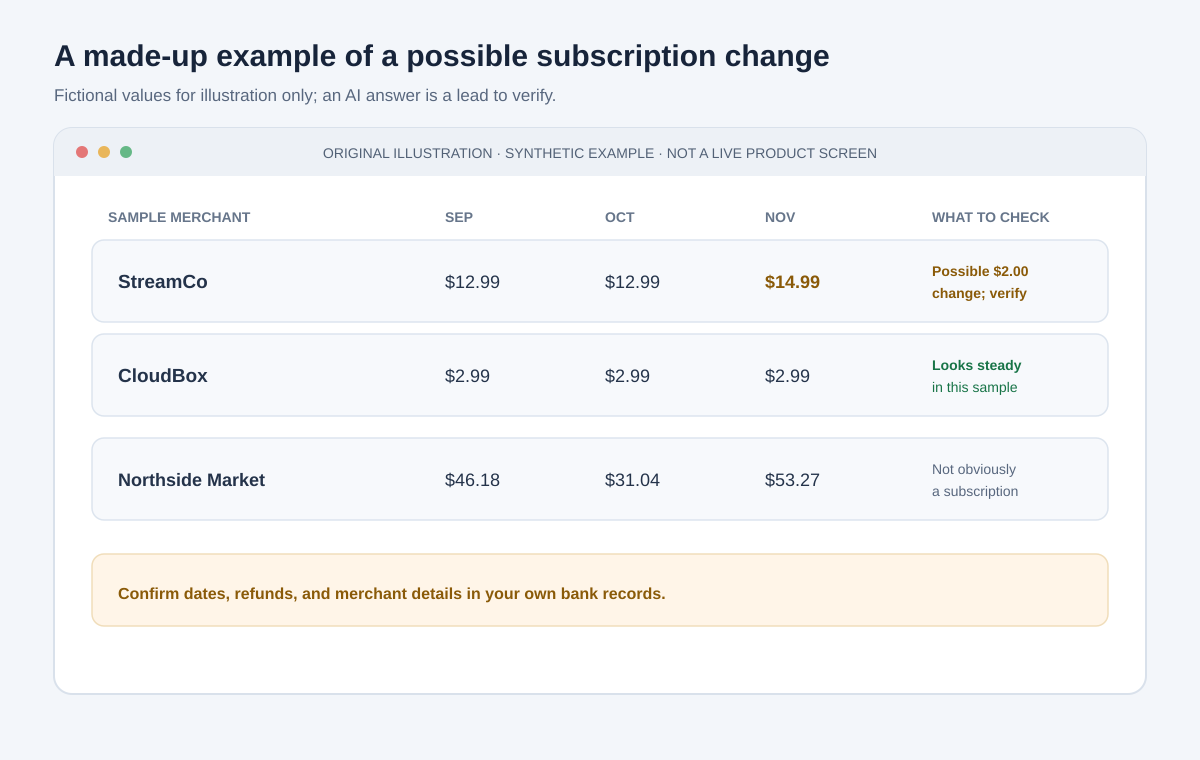
A visual version of the fictional table above—not real account data or an AI product result.
You could ask an assistant:
Using only these fictional transactions, identify charges that appear monthly. Flag possible price changes, show the dates and amounts you used, and label uncertain matches as uncertain. Do not recommend or attempt to cancel anything.
A careful answer might say: “StreamCo appears monthly and is $2.00 higher in November than in September and October. Confirm whether the amount reflects a plan change, tax, or a separate purchase before acting.” That is a helpful lead. It is not proof that the service raised its price, and it is not permission to cancel it.
Now imagine the same answer generated from a linked account. The assistant may have access to many transactions you did not need for that one question. That is the trade: less copying and pasting, but more information becomes available to the connected service. Decide whether the convenience is worth that additional access for this particular task.
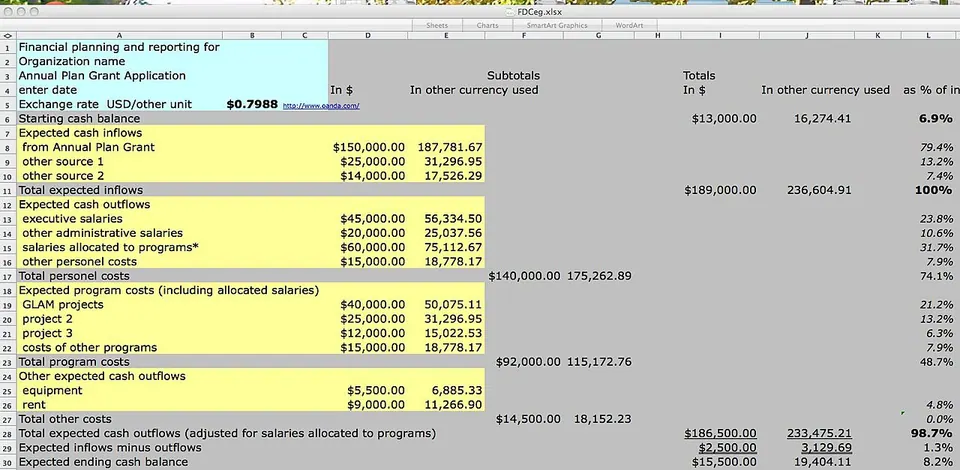
This photo shows a simple budgeting spreadsheet; it is not an output from an AI service. Source: Smallbones, Wikimedia Commons, CC0 1.0.
Try the Question Without Connecting Your Bank
You can test whether AI is useful before linking anything. Use made-up transactions, or a short list you have manually checked for account numbers, names, addresses, and other personal details. A few generic rows are often enough to see whether the tool can do the job.
For example:
Group these sample expenses into broad categories. Show the total for each category, list the transactions included, and flag anything that could fit more than one category. Do not infer my income or financial situation.
For a real account, first check whether your chosen AI service is approved for that information and what its current data terms say. Removing your name does not make a transaction list anonymous: merchants, dates, locations, and unusual purchases can still identify or reveal things about someone. Our guide to AI and spreadsheet privacy explains why synthetic and minimized data are safer starting points.
A Practical Checklist Before You Link
- Open the feature from the official app. Do not follow an unexpected message or search ad to connect a financial account.
- Read the consent screen, not just the feature summary. Check which accounts and data are requested and which company receives them.
- Confirm the permission level. Prefer read-only access for analysis. Treat any ability to initiate payments or transfers as a separate, higher-risk feature.
- Check the data rules. Find the current retention, deletion, human-review, and model-improvement terms for the specific product and account type.
- Find the off switch. Learn how to disconnect in the AI app and, if applicable, in the bank or account-linking provider's portal.
- Start with a low-stakes question. Ask for a summary, then compare it with the bank's own transaction history. Do not start with taxes, investment decisions, debt payments, or an urgent transfer.
- Never share sign-in secrets in chat. A legitimate account-linking flow should not require you to paste your bank password, card PIN, or one-time code into a conversation or send it to someone in a message.
If you cannot answer “what data, which company, what permission, and how do I revoke it?” do not connect yet. That is not being overly cautious. It is a reasonable response to unclear terms.
Check the Answer Like You Would Check a Bank Statement
AI is good at producing a tidy explanation. Tidy is not the same as correct. Merchant names can be abbreviated, a charge may be one-time, and a refund or pending transaction can distort a summary.
When an answer affects your budget, take these small steps:
- Open the corresponding transactions in your bank's official app or site.
- Check the dates, amounts, and any refunds or pending items yourself.
- Ask the assistant to show the transactions behind a conclusion.
- Treat a suggested subscription or bill as a possibility to verify, not an instruction to follow.
- Keep decisions about payments, credit, taxes, and investments in your hands; get qualified advice when the consequences call for it.
If an AI feature suggests a transfer or asks to take an action, stop and read the confirmation carefully. Confirm the recipient, amount, timing, and any fees through the bank's own interface. Do not assume a voice request or a previous approval authorizes a different payment.
If You Change Your Mind
Disconnect the account in the AI product, then check whether the bank or connection provider has a separate place to revoke access. Those are not necessarily the same step. Review the product's deletion instructions too: turning off a connection may stop future access without instantly removing information already processed or retained.
If you accidentally shared a password or one-time code—not simply approved a read-only connection—contact the bank using the number on your card or statement. Our bank app outage guide and phishing examples cover how to reach a provider safely when a message or login screen feels suspicious.
The Useful Version of AI Finance Is the One You Can Still Check
The appeal is easy to understand: ask a plain-language question and get a starting point without sorting a year's worth of transactions by hand. For a low-stakes task, with clear read-only permissions and terms you understand, that may be worth trying.
But a bank connection is not just another prompt. It gives a service access to details about your financial life. Start with synthetic data if you can, read the live permissions if you decide to connect, verify anything important against the bank's records, and keep control of every consequential action.
A good assistant can help you notice a question. You should still decide what your money does.
Sources and Further Reading
Product details were checked on November 17, 2026. Features and availability can change; confirm the current consent screen and terms for your account.
- Plaid: Google Wallet and Gemini personal-finance experience — announcement dated November 13, 2026; describes the U.S. rollout and read-only access.
- Plaid: Introducing Agent Detection — announcement dated November 16, 2026; describes financial institutions identifying agent-driven interactions.