
A Small Project Is a Better First Test
An AI coding assistant can produce a lot of code from a short request. For a beginner, the more useful skill is learning to ask for a small change, inspect it, and check that the result does what you expected.
This hands-on tutorial uses one deliberately modest example: a page that converts centimeters to meters and back. It has no account, server, or reason to store your input. You will define the behavior, ask for a plan, make the page in steps, and test ordinary and invalid values. The workflow is product-neutral; it does not rank or endorse a particular coding assistant.
If you want a broader overview of tool types and safe beginner habits, read our beginner's guide to AI coding assistants.
1. Set a Boundary Before You Start
Create a new, disposable project folder rather than experimenting in an important work or personal project. Use a coding assistant whose file and command permissions you understand. If it can edit files or run commands, review each proposed action instead of approving a broad request automatically.
For this example, keep the boundary simple:
- The page converts centimeters to meters and meters to centimeters.
- It uses only local HTML, CSS, and JavaScript.
- It does not need a login, external service, network request, or saved data.
- The project uses sample values only; do not paste private code or credentials into a tool.
Those limits make it easier to understand what the project should do and easier to notice if the assistant suggests something outside its scope.

Photo: “JHS students looking on a laptop” by Kwameghana (Bright Kwame Ayisi), CC0 1.0.
2. Write Down What “Working” Means
Before asking for code, decide what a person should be able to do. A useful first specification is short enough to review:
- Enter a non-negative number of centimeters and convert it to meters.
- Enter a non-negative number of meters and convert it to centimeters.
- See a clear result with the units shown.
- See a helpful message for a blank, negative, or invalid value.
- Use the controls with a keyboard as well as a mouse.
The conversion rule is straightforward: 100 centimeters equal 1 meter. That gives you values you can check yourself: 100 cm should become 1 m, and 1.25 m should become 125 cm. Decide how the result should be rounded before you accept an implementation; rounding changes what a user sees even if the underlying calculation is correct.
3. Ask for a Plan, Not a Finished App
Start with a prompt that describes the goal and its boundaries. For example:
I am learning with a disposable local project. I want a single-page length converter for centimeters and meters. Use plain HTML, CSS, and JavaScript. Do not add packages, network requests, accounts, analytics, or data storage. Do not edit files yet. First list the files you would create and the behaviors and test cases you would include. Ask me if a requirement is unclear.
Read the plan. If it proposes a backend, a package, or a feature you did not request, ask why before proceeding. A small project does not need extra complexity just because a tool suggests it.
Then ask for one piece at a time. For example, ask it to create the basic page and labeled input controls first. After reviewing those files, ask it to add the conversion behavior. Finish with input validation and presentation rather than asking it to build everything in one go.

Photo: Team members working together around a laptop, Unsplash License.
4. Review the Result as You Build
After each change, look at the full diff: the list of lines the assistant added, removed, or changed. Check whether it edited only the expected files. Ask for a plain-language explanation of unfamiliar code, and do not keep a change simply because it looks polished.
For the conversion itself, verify the rule in both directions:
- Centimeters to meters: divide by 100.
- Meters to centimeters: multiply by 100.
The values in the project specification are small manual checks, not proof that every possible input works. Also review how the page handles empty fields, negative numbers, and text that is not a number. The page should explain what needs correcting rather than displaying a misleading result.
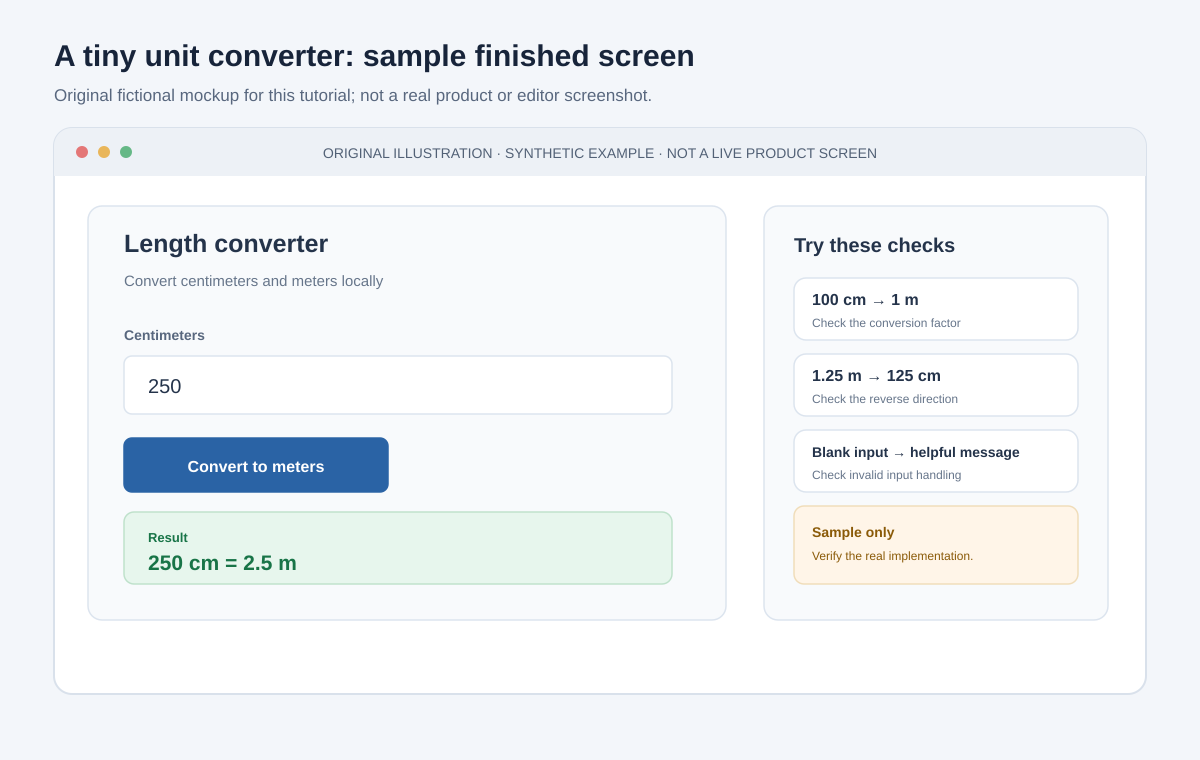
Original mockup for this tutorial. It illustrates the example only; it is not a real product screenshot and does not claim that generated code has been tested.
5. Match Review Effort to the Consequences
A small visual change is usually easy to inspect and undo. Code that accesses files, calls an external service, or handles another person's information has more potential consequences. The chart below is a qualitative planning aid, not measured research: as scope and impact grow, slow down and bring in more review.
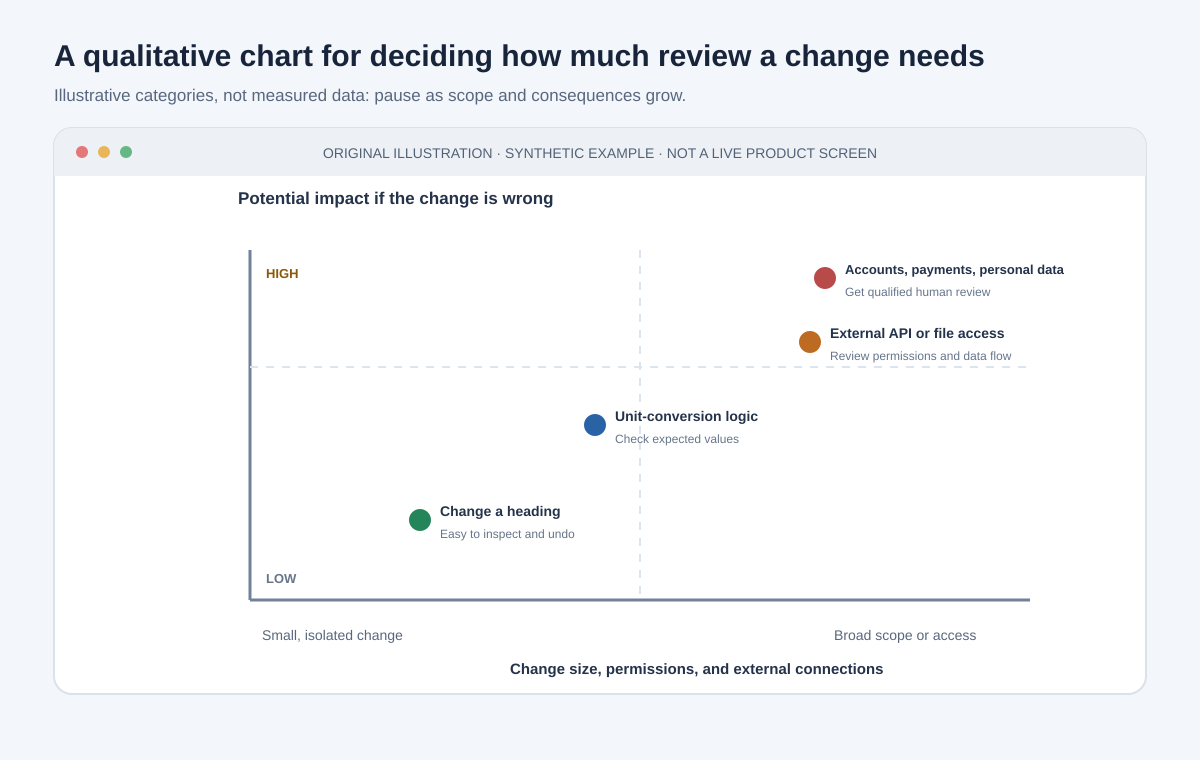
Original qualitative chart. The positions are illustrative categories, not scores or measured data.
For this practice project, stay in the low-consequence part of the chart. If the assistant proposes sign-in, a database, payment handling, or access to private files, stop and ask whether the feature is needed. A different project with real users or sensitive information calls for qualified human review before it is used or published.
6. Run Specific Checks
Use the behavior you wrote down to test the page. A quick test table makes “it seems to work” more concrete:
| Input and direction | Expected check |
|---|---|
| 100 cm to meters | Result is 1 m |
| 1.25 m to centimeters | Result is 125 cm |
| Blank input | A clear prompt asks for a value |
| Negative value | The page explains that the value must be non-negative |
| Letters instead of a number | No misleading numeric result appears |
| Keyboard-only use | The input and action can be reached and used without a mouse |
Try a typical value and each error case yourself. Confirm that labels identify the input units and that the result includes its units. If you change how rounding works, add a value that would expose that change to your checks.
Also inspect what the project can access. For this simple page, an unexplained network request, new dependency, or saved-data mechanism is a reason to pause and understand the change before keeping it.
7. Ask for a Focused Fix
If something fails, capture the exact behavior or error and ask for an explanation before requesting another patch. Include the relevant input, expected result, and actual result. For example:
With 100 centimeters entered, the page displays 100 meters. The expected result is 1 meter. Explain which conversion step is wrong, identify the file you would change, and suggest the smallest correction. Do not add a dependency or change the other direction.
A narrow report gives you something specific to verify and reduces the chance that a repair will alter unrelated behavior.
8. Know When the Exercise Is Finished
For a learning project, “done” can mean the page runs, the listed checks pass when you try them, and you can explain the files and the conversion rule. Keep a copy of the last working version before experimenting further. Do not publish a project for other people until you understand its behavior, permissions, maintenance needs, and any data it handles.
The purpose is not to produce a production-ready measurement tool. It is to practice turning a clear request into a small change you can inspect and verify. For more on reviewing code, protecting data, and choosing a first project, continue with our complete beginner guide and AI privacy guide.